Product design. Global leadership. Hands-on craft.
I lead a global organization spanning design, research, analytics, and technical writing, drawing on twenty years of experience in enterprise B2B software.
I designed and built a functional mobile app that connects fleet awareness, safety event review, and coaching follow-up. It is grounded in a decade of user research, field testing, and direct customer input.
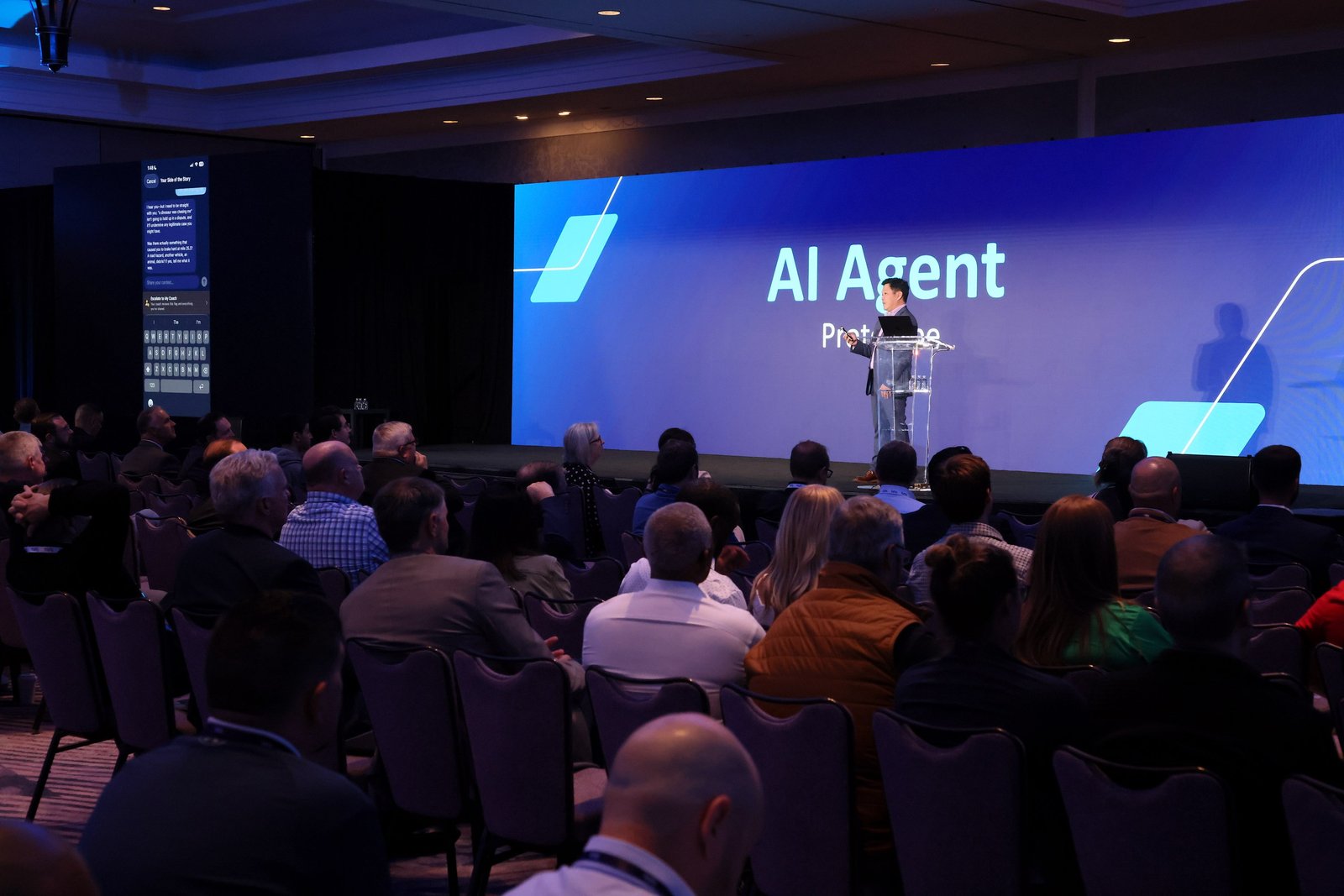
The working application was showcased at the company’s primary customer conference.
AI Agent Prototypes presentation at the customer conference.
03 / Customer research
Built around the work managers do in the field.
Customer interviews about existing fleet workflows and mobile tools informed this product direction. These excerpts connect customer needs to the design choices shown in the app.
01 / Customer need
Find a vehicle in the field
“Just when I'm out in the field and I need to find a truck or, you know, I'm trying to go do an OBA on a driver, but I don't know exactly where he is at and I can just pull it up on my phone and figure out where the truck is.”
Jason TaitRoute Manager, Waste Management
Design response
Start with fleet awareness
The app opens on a fleet map, putting vehicle location at the center of the mobile experience.
02 / Customer need
Make the map work on a phone
“Do you have any plans to like come out with the tracking app? I just feel like the web based one kind of it's like glitchy sometimes. Like you'll try to zoom in and then it'll take it to like the globe zoom it out.”
Sloane LoweOperations Manager, WCA
Design response
Design for a mobile task
A dedicated native iOS map gives vehicle search and selection their own mobile interface.
03 / Customer need
Keep video review connected
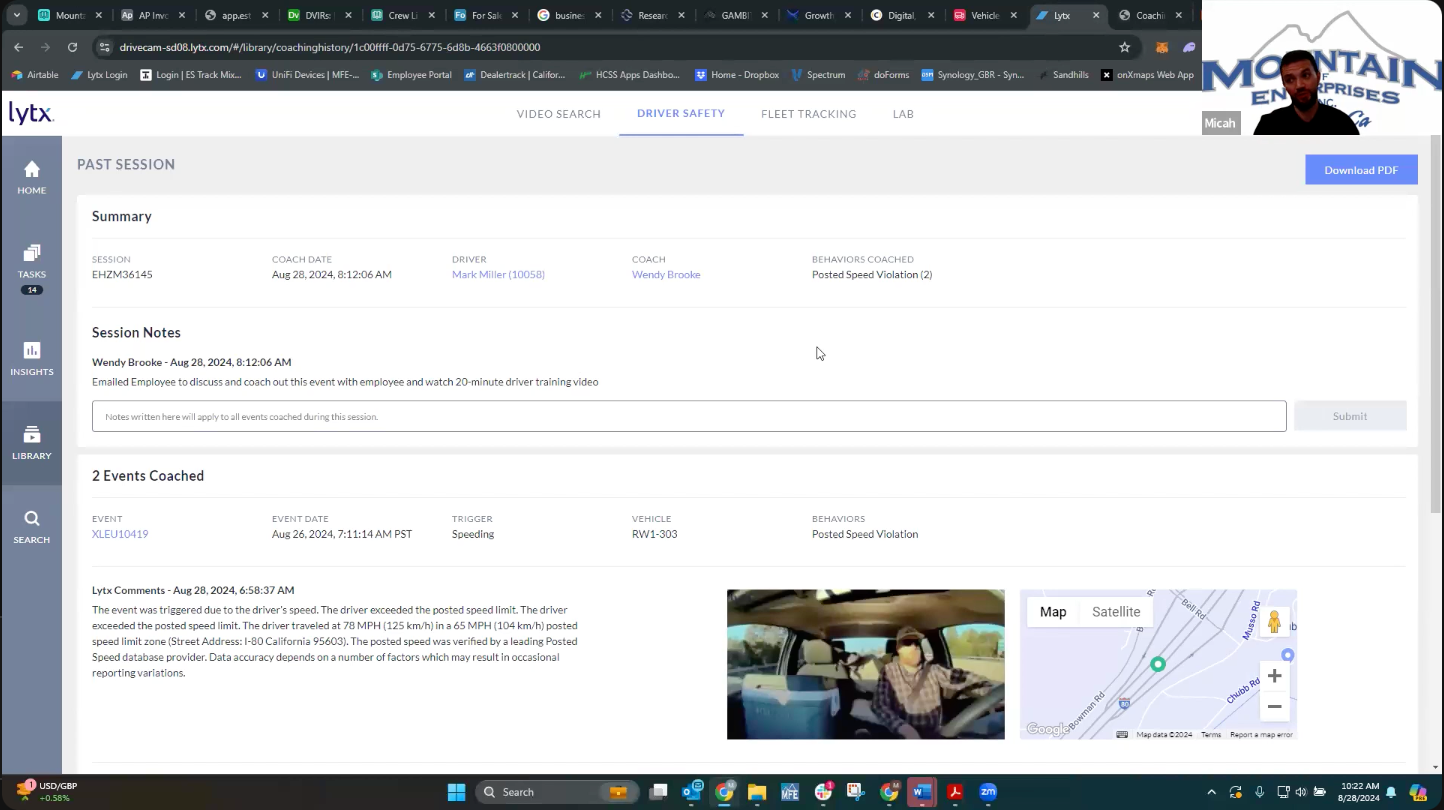
“When I am not near my laptop to go in, click a link through my email to attach to a video to go view a video through my phone is cumbersome and it's really painful sometimes… when you're going email to copying links to email to reopening and then logging in again, that's obviously a challenge.”
Dave MartensWaste ConnectionsRelated research: existing coaching records, video, and event context.
Design response
Bring evidence into the workflow
Event review brings video, driver and vehicle details, and location together in the app.
04 / Customer need
Make urgent follow-up actionable
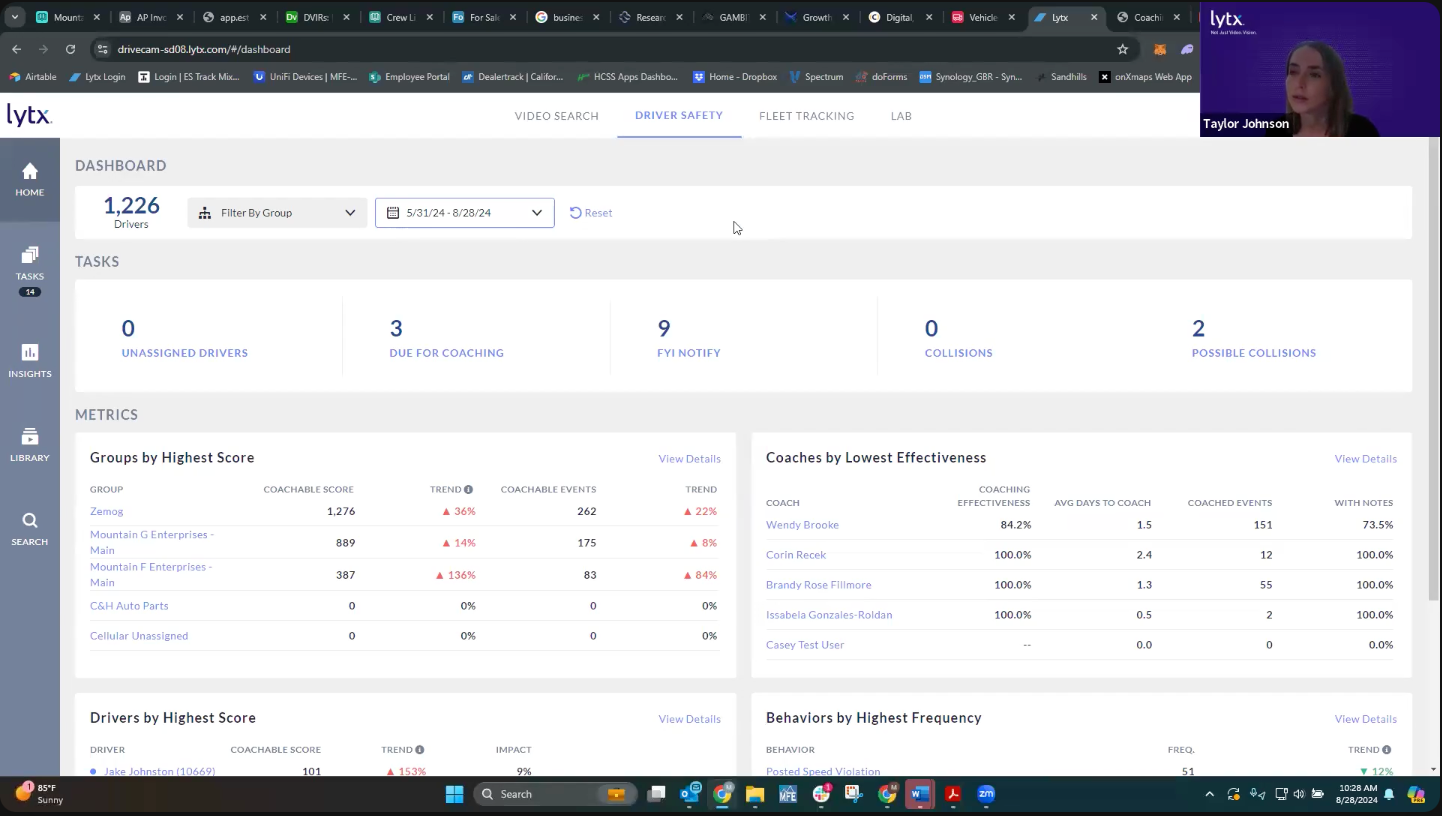
“If there's a notification available that prompted them to call their driver, or a fatigue event that prompted them to reach out to them, it would bring attention to a more critical behavior than a weekly coaching conversation.”
Suggested tasks and manager-controlled delegation connect safety events to follow-up work.
Customer interview excerpts about existing fleet workflows and mobile tools.
04 / Workflow
From a safety event to a coaching task.
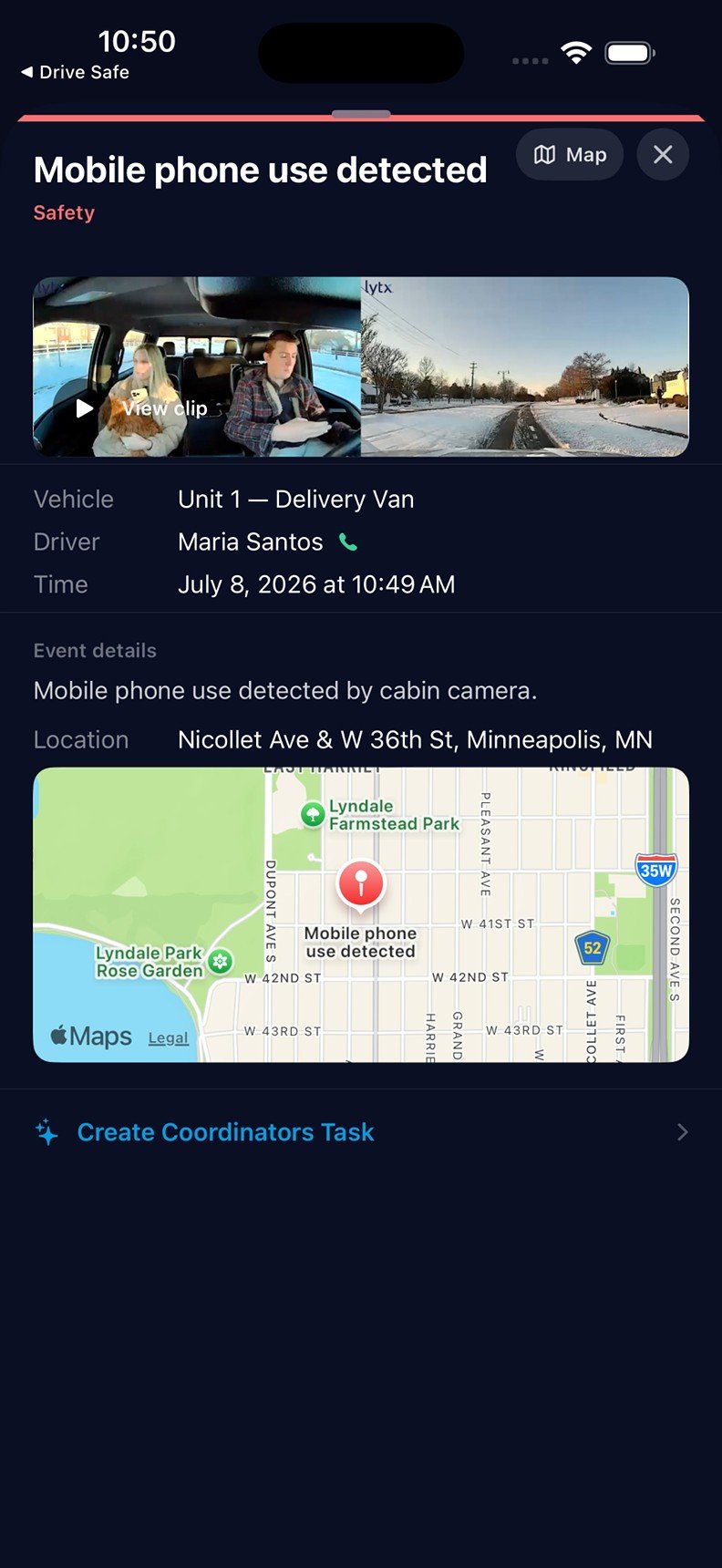
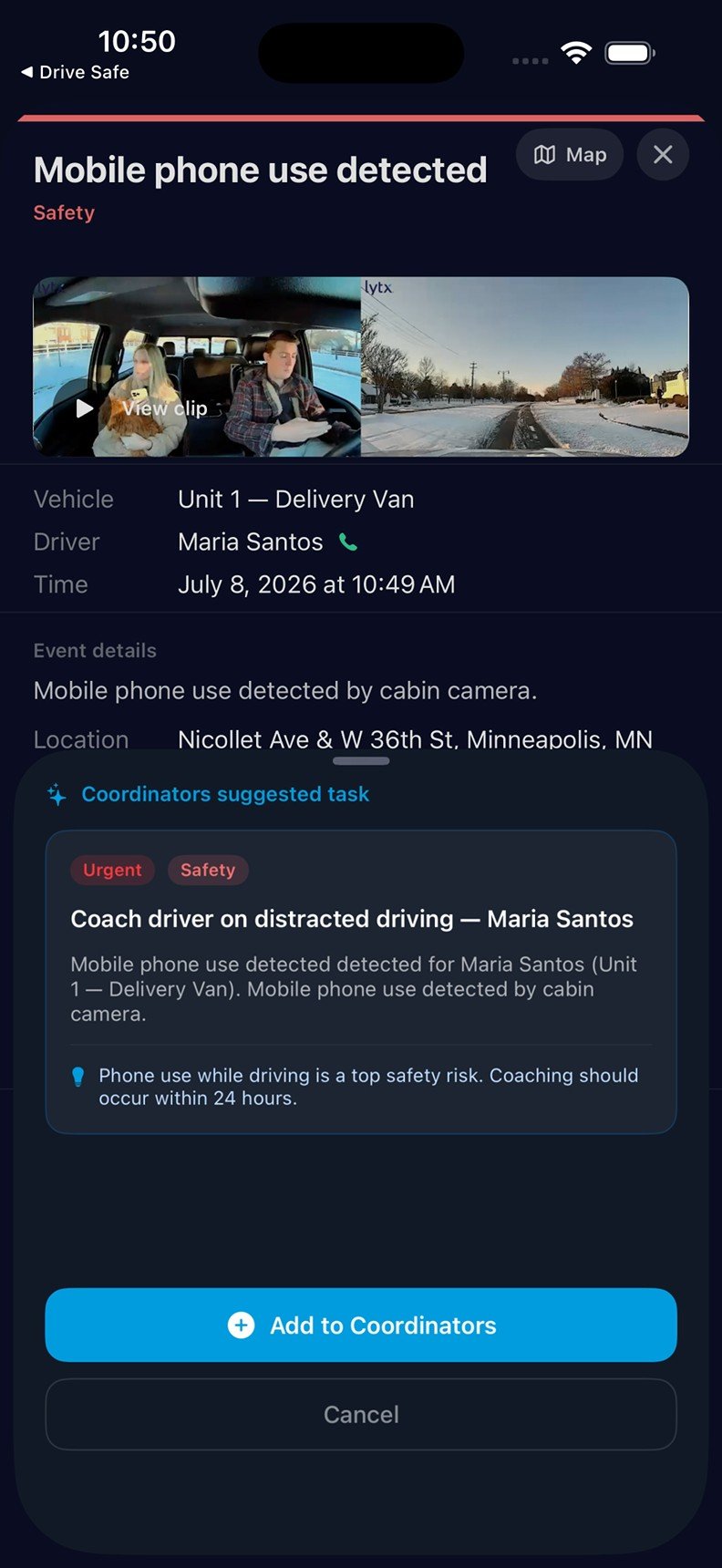
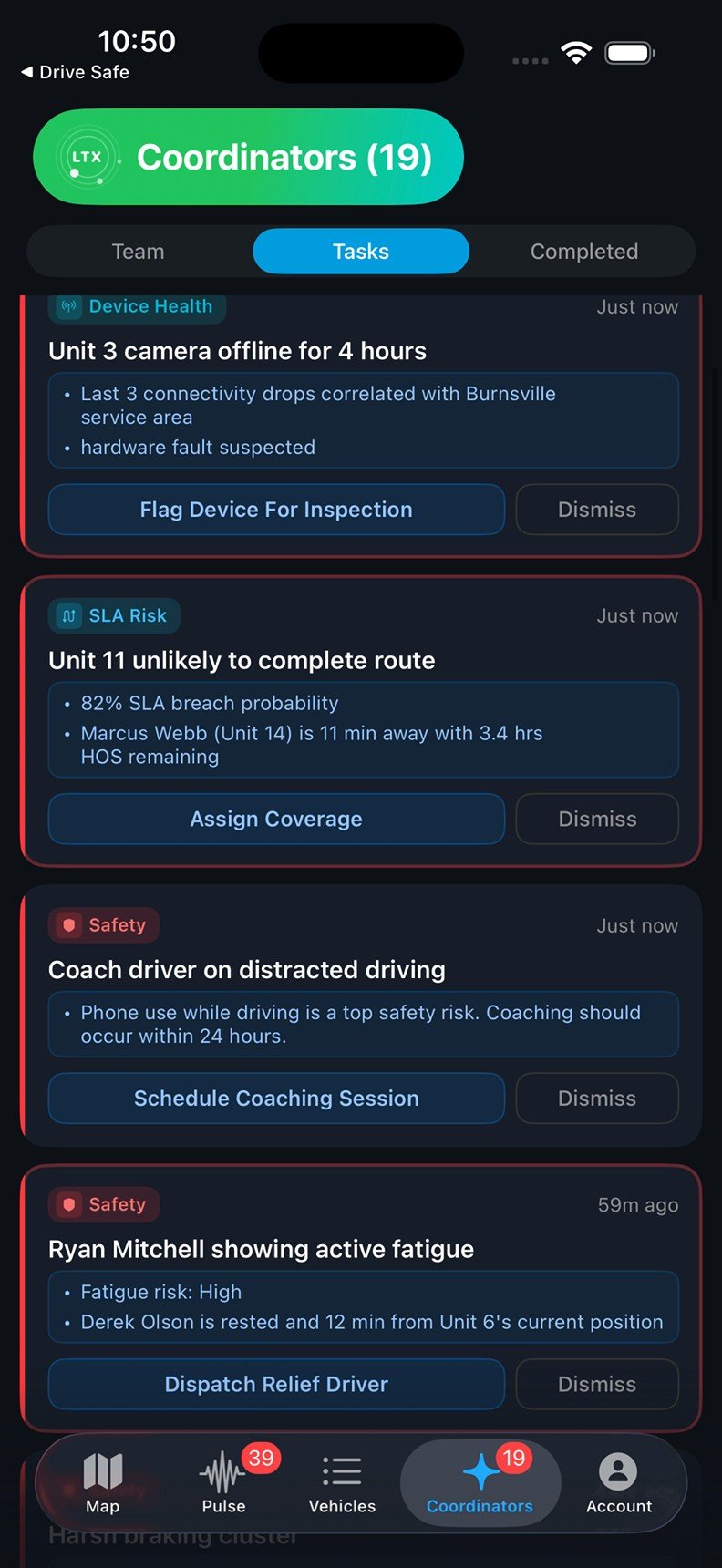
A mobile-phone-use event shows how the manager moves from reviewing evidence to approving and organizing follow-up.
A / CONTEXT
Review the event
The event brings together the driver, vehicle, camera preview, time, and location so the manager can review the context.
B / DECISION
Approve a response
The application suggests a coaching task and explains its urgency. The manager chooses whether to add it to Coordinators.
C / FOLLOW-UP
Organize the work
The approved task is routed to Risk Analyst and appears in the task queue with an option to schedule a coaching session.
05 / Control
Defined responsibilities. Explicit delegation.
The product explores an AI-assisted interaction model: recommendations appear in the context of a fleet event, move into an owned task, and remain subject to manager approval and delegation settings.
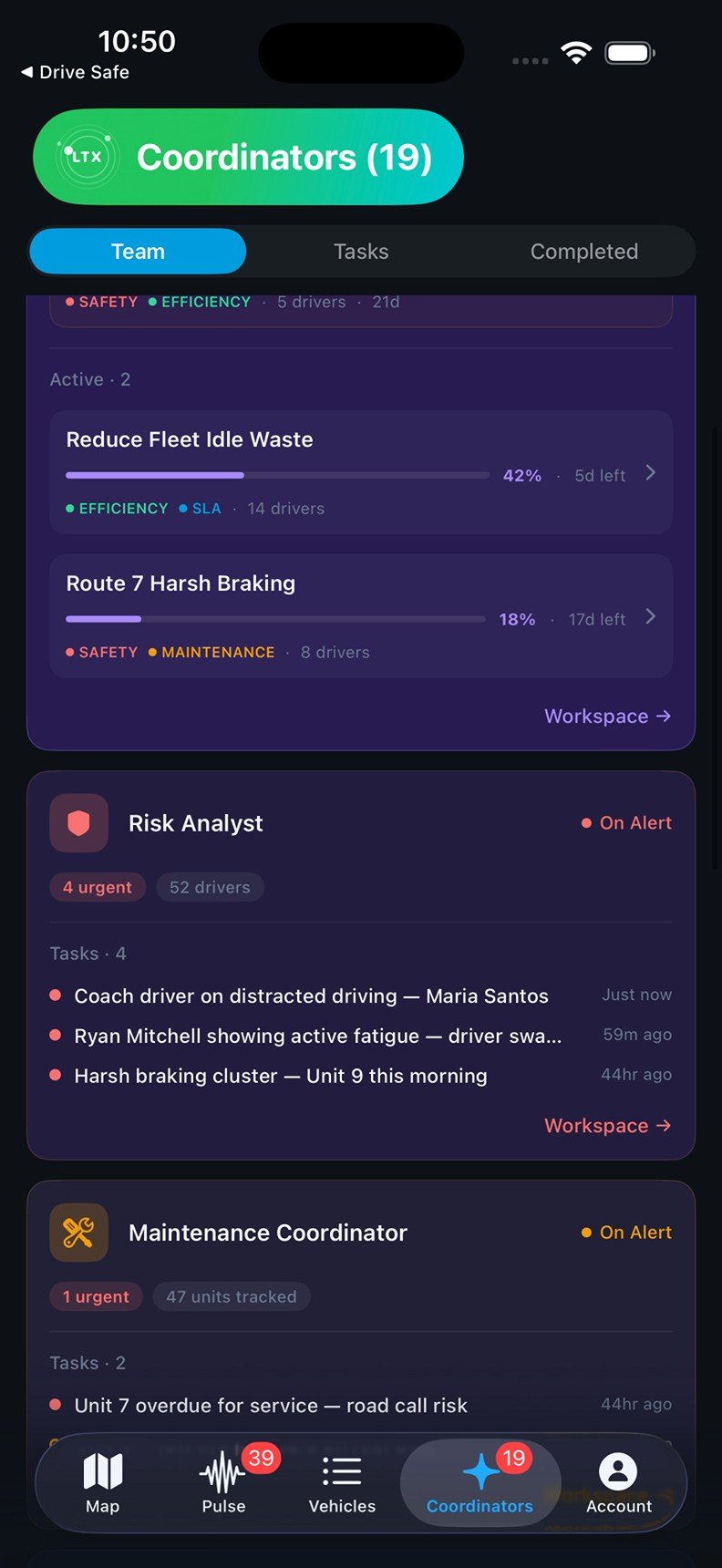
Work organized by responsibility
Risk Analyst brings together driver and vehicle safety tasks. Maintenance Coordinator, Fleet Strategist, and Campaign Builder extend the model to other fleet responsibilities.
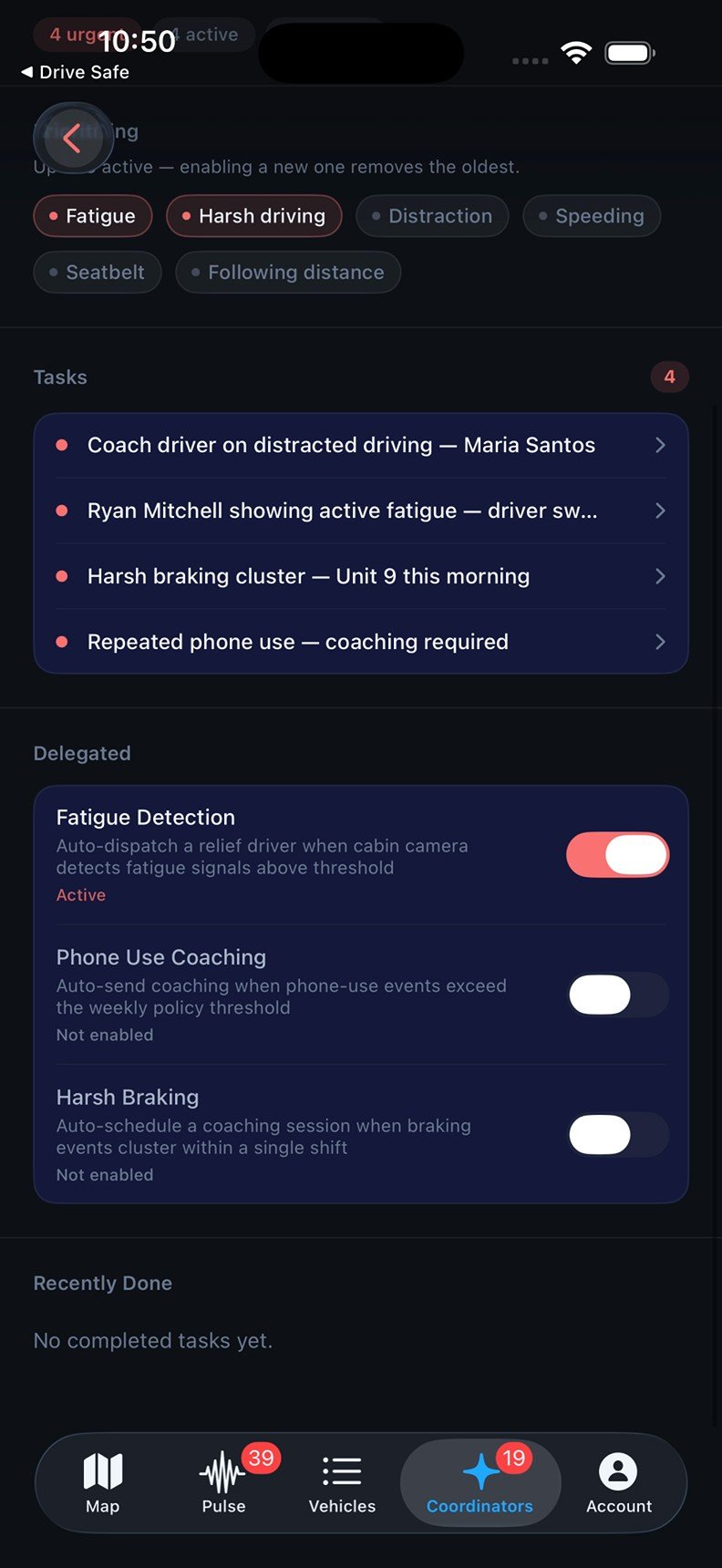
Managers choose what to delegate
The interface separates reviewing individual tasks from enabling ongoing delegation. Managers can enable fatigue response while leaving phone-use coaching and harsh-braking workflows disabled.
Workspaces and task ownership.Delegation selected by the manager.
06 / Overview
Product overview
A three-page PDF covers the research foundation, the alert-to-task workflow, and manager controls, with screenshots from the application.